GTA 6's First Patch Is Here: Update 1.002.002 Fixes the Broken Autosave, Crashes and More
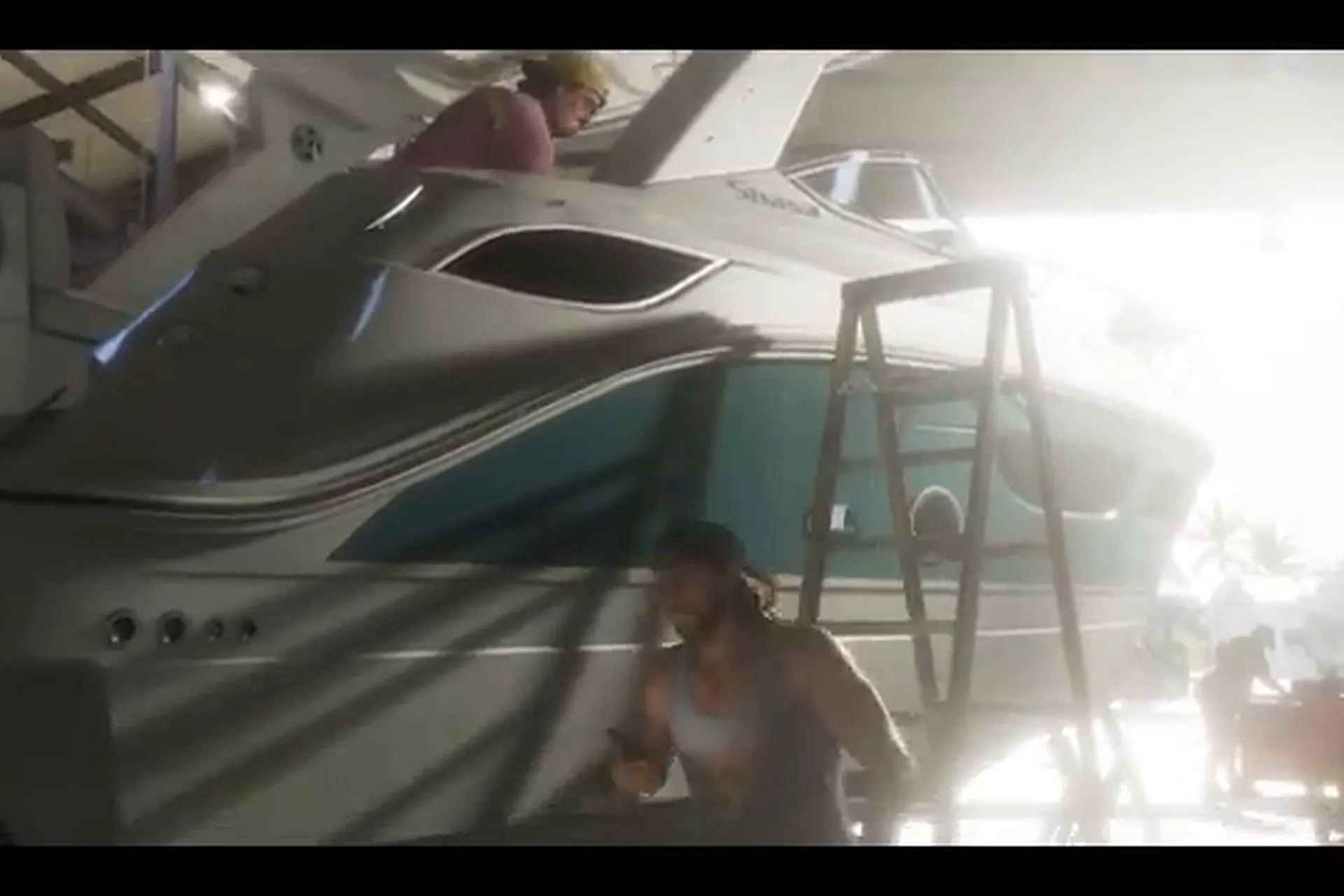
Rockstar has released the first post-launch patch for GTA 6, and it targets the bugs players have been shouting about since launch day. Update 1.002.002 is rolling out now on PS5 and Xbox Series X|S, and its headline fix is the broken autosave — the bug that cost some players hours of progress. If you have been holding off playing, this is the patch to wait for.
In India, GTA 6 costs ₹5,999 for the Standard Edition and ₹7,499 for the Ultimate Edition. The patch is free, and it downloads automatically when you next launch the game — just make sure you actually have it installed before you start a long session.
Quick summary
- GTA 6 update 1.002.002 is Rockstar's first post-launch patch, rolling out from November 23, 2026.
- The biggest fix is the autosave bug — the game was not autosaving correctly for some players, losing progress.
- The patch also fixes several crash issues, weather that would not change, and phone calls that would not trigger.
- Other fixes cover a Wanted Level you could not lose, the gym deadlift bar, and partners not handing over bags to sell.
- The update is 603 MB on PS5 and 1.6 GB on Xbox Series X|S, rolling out in phases through the day.
- Rockstar has published the full official patch notes — this is a confirmed update, not a rumour.
What does GTA 6 update 1.002.002 fix?
Seven things, according to Rockstar's official patch notes — and almost all of them are problems players actually hit in the first four days.
The autosave fix matters most. Some players found the game was not autosaving correctly, so a crash or a quit could wipe out a chunk of a session. If you lost progress over the launch weekend, this is the bug that did it. Check your save is intact after the patch installs, and get into the habit of manual saving too — the patch fixes the bug, but a manual save is still your safety net.
The crash fixes are next. Rockstar says it fixed "several issues that caused the game to crash", which lines up with the reports from PS5 players hitting crashes during opening cinematics and early story missions. The patch notes do not name the PS5 error code CE-108255-1 specifically, so if that exact error was your problem, do not assume it is gone — test it and report back.
The weather bug is a smaller one, but it shows how rough the launch build was: the weather in Leonida could get stuck and not change for extended periods. That is fixed now, so Vice City should feel alive again instead of stuck in one endless afternoon.
What about the phone calls and the Wanted Level?
These two fixes matter because they can block your story progress.
Some phone calls were not triggering correctly, including calls that progress the story or unlock mission content. If you were stuck waiting for a call that never came, the patch should unstick you — reload your save after updating and the call should come through.
The Wanted Level bug was the opposite problem: players could not lose their Wanted Level at all, which turns every drive into a police chase. That is fixed too.
The last two fixes are pure quality of life. The deadlift bar in the gym was unusable for some players — now it works. And partners will now hand over bags properly, so you can sell them to fences instead of watching your loot sit in limbo.
| Fix | What was broken | Why it matters to you | |
|---|---|---|---|
| Autosave | Game was not autosaving correctly | Lost progress after crashes or quitting | |
| Crashes | Several issues causing the game to crash | Crashes during cinematics and early missions | |
| Weather | Weather would not change for extended periods | Leonida felt frozen in one weather state | |
| Phone calls | Calls not triggering, including story and mission calls | Story progress could stall completely | |
| Wanted Level | Players could not lose their Wanted Level | Every drive became a police chase | |
| Gym deadlift bar | Bar could not be used | Gym activity was broken | |
| Partner bags | Partners not handing over bags | Could not sell loot to fences | |
| Patch size, PS5 | — | 603 MB | |
| Patch size, Xbox Series X\ | S | — | 1.6 GB |
How do you get the GTA 6 patch?
It rolls out in phases, so it may not be on your console yet. According to PlayStation Game Size, around a third of players could download it first, with the rest following over the next few hours — so if it is not there, wait and check again.
On PS5, highlight GTA 6 on the home screen, press Options, and choose Check for Update. On Xbox, the update should download automatically, or you can check in My games & apps. The patch is 603 MB on PS5 and 1.6 GB on Xbox Series X|S, so it is a quick download on most Indian broadband connections.
One warning: install the patch before you play, not after. The autosave bug is exactly the kind of thing that punishes you for one more unpatched session. Update first, then play.
Should you update right away?
Yes. This is not a patch that changes balance or nerfs a farming method — it is pure bug fixes, and every one of them makes the game work the way it should. There is no reason to delay it, and every reason to get the autosave fix in before your next session.
The patch also tells you something about Rockstar's priorities: four days after launch, the first fix is stability and save integrity, not new content. Expect more small patches like this in the coming weeks as Rockstar works through the launch bug list.
Frequently asked questions
What is GTA 6 update 1.002.002?
It is Rockstar's first post-launch patch for GTA 6, released November 23, 2026. It fixes seven issues: crashes, stuck weather, broken autosave, phone calls not triggering, a Wanted Level you could not lose, the gym deadlift bar, and partners not handing over bags.
How big is the GTA 6 1.002.002 update?
The update is 603 MB on PS5 and 1.6 GB on Xbox Series X|S, according to PlayStation Game Size and Rockstar's rollout. It is a small download on most connections.
Does the patch fix the GTA 6 autosave bug?
Yes. Rockstar's official patch notes list "Fixed an issue that resulted in the game not autosaving correctly" as one of the fixes. If you lost progress before the patch, that progress is gone — but new saves should work properly.
Does the patch fix PS5 error CE-108255-1?
Not by name. The patch notes mention several crash fixes but do not name the CE-108255-1 error code specifically, so players hitting that exact error should test after updating and not assume it is fixed.
How do I download the GTA 6 update?
On PS5, highlight the game, press Options, and choose Check for Update. On Xbox it should download automatically. The rollout happened in phases, so if it is not available yet, check again in a few hours.
Related articles
 GTA 6 Has Reportedly Sold 44.9 Million Co…
 BLG Beat Gen.G 3-1 to Win Worlds 2026 — a…
 HoYoverse Is Reportedly Making a Competit…
 OPPO Find X10 Pro Max at ₹1,99,999: Tripl…